 MovieBox
MovieBox Pro APK — Premium Ad-Free Streaming (2026)
MovieBox Pro is the premium edition of the MovieBox app: the same 200,000+ title library, but with zero ads, faster dedicated servers, higher bitrates and multi-device sync. Here is everything you need to know before downloading.
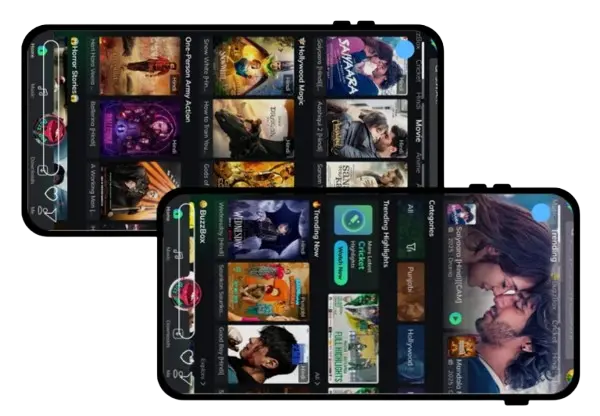
MovieBox Free vs MovieBox Pro — Full Comparison
| Feature | MovieBox (Free) | MovieBox Pro |
|---|---|---|
| Price | Free | Free APK (optional VIP) |
| Ads | Occasional pre-roll ads | No ads |
| Max Quality | 1080p (4K on select titles) | Full 4K Ultra HD |
| Servers | Standard | Premium high-speed |
| Multi-device Sync | No | Yes |
| Early Access Releases | No | Yes |
| Offline Downloads | Yes | Yes (faster) |
Why Users Upgrade to Pro
🚫Zero Ads
No pre-roll videos and no banner interruptions. Press play and the movie starts instantly — the biggest reason binge-watchers move to Pro.
⚡Premium Servers
Pro routes playback through dedicated servers, which means faster start times and stable 1080p/4K streaming even during evening peak hours in Asia.
🔄Sync Everywhere
Start a K-drama on your phone, continue on your tablet or Android TV. Watchlist, history and resume points stay in sync across devices.
How to Install MovieBox Pro
- Download the MovieBox Pro APK from the button above.
- Allow Install from Unknown Sources in your Android settings.
- Open the APK file and tap Install.
- Launch the app — register a free account if you want sync and VIP features, or skip and start watching.
Is MovieBox Pro Worth It? Our Hands-On Verdict
We ran the free and Pro builds side by side for two weeks on the same phone and Wi-Fi connection, and the difference is honest but situational. Off-peak (mornings, afternoons, after midnight), both versions started 1080p playback within seconds and neither buffered. The gap appears between 8 and 11 PM, when standard servers across Asia carry their heaviest load: the free build occasionally dropped to 720p or paused to rebuffer on popular new releases, while Pro's premium servers held steady 1080p throughout. The ad difference is also a quality-of-life issue rather than a deal-breaker — the free version's occasional pre-roll lasts seconds, but binge-watchers who press play thirty times a week will feel the cumulative friction.
Our recommendation matrix: casual viewers (a few movies a week, flexible timing) should stay free and lose nothing of substance. Daily drama watchers who stream every evening at peak hours get genuine value from Pro's servers. Families sharing across devices benefit most of all, since multi-device sync means the living-room TV, a parent's phone and a tablet all share one watchlist and resume position. And if you're on the fence, the sensible path is free-first: install the standard version today, note whether peak-hour quality actually bothers you over a week, and upgrade only if it does.
Common MovieBox Pro Problems & Quick Fixes
Three issues account for most Pro complaints. "VIP verification failed" usually means a network hiccup during registration — switch from Wi-Fi to mobile data and retry. Login loops after an update are solved by clearing the app cache (not data) and signing in again. And missing premium servers right after installing typically resolve within a few minutes once the app finishes its first catalog sync; if they don't, our troubleshooting guide walks through the full fix list.
FAQs about MovieBox Pro
What is the difference between MovieBox and MovieBox Pro?
The free app includes the full library with occasional ads. MovieBox Pro removes ads, unlocks premium high-speed servers, higher video bitrates and lets you sync your watchlist across multiple devices.
Does MovieBox Pro need an invitation code?
Some Pro builds ask for an invitation code during VIP registration. Casual users can skip it and continue with the standard experience; codes are usually shared by existing VIP members.
Is MovieBox Pro free?
The Pro APK is free to download. Certain VIP features inside the app may require a membership, but the core streaming experience works without payment.
Can I install MovieBox and MovieBox Pro together?
Yes. They use different package names, so both apps can be installed on the same Android device at the same time.
New to APK installation? Follow the complete step-by-step download guide, and check whether the app is right for your device in Is MovieBox safe?